STRIDE Help

Help › Quick reference › OKRs
Turn your strategy into measurable outcomes. OKRs help your team focus on what matters, align effort, and track progress.
-
Area e.g. Product, GTM, Engineering 1 : many
Areas categorize your work
Areas are anything you decide them to be. They can be areas of a portfolio, departments or teams. This allows you to group related OKRs and easily visualize load and progress across your team.
-
Objective e.g. Launch a best-in-class customer experience 1 : many
Objectives define what you want to achieve
An objective is a clear, ambitious, and time-bound outcome typically no larger than a quarter. Each objective has an owner who is responsible and accountable for the work.
-
Key Result e.g. Increase NPS from 42 to 60 1 : many
Key results measure progress
Key results follow the SMART principle — specific, measurable, attainable, relevant and timely. They are clear, measurable outcomes (not a task list) that show whether the objective is being achieved. Key results can be measured by:
- Percent
- Number
- Currency
- Done / Not done
-
Owner e.g. Jane Smith 1 : 1
Ownership drives accountability
Both objectives and key results have an owner. The owner is responsible and accountable for delivering the outcome.
Many tasks, one key result
Objectives and key results live in your team's one OKR space, never on a board. Anybody's tasks, on any board, can link to the same key result — that is how work spread across several boards rolls up to one measure without the key result itself belonging to any of them.
Keep it SMART
Make key results specific, measurable, attainable, relevant and timely.
Full quick start
How the pieces fit together
Four ideas that build on each other — from how work is grouped down to who answers for it.
-
Area e.g. Product, GTM, Engineering 1 : many
Areas group your objectives.
A portfolio, a department, a product line — whatever your team decides. They're optional, and only a team admin can add one; an objective with none sits under Unassigned.
-
Objective e.g. Launch a best-in-class customer experience 1 : many
Objectives define what you're aiming for.
A clear outcome, in a sentence. Each is filed in a quarter and has one owner accountable for it — though its key results can carry it into the next quarter too.
-
Key result e.g. Increase NPS from 42 to 60 1 : many
Key results measure progress.
The number that proves the objective is happening — not a task list. It keeps its own history: every check-in dated and named. Measured in:
- Percent
- Number
- Currency
- Done / not done
-
Owner e.g. Jane Smith 1 owner
Ownership means one person answers for it.
Every objective and key result has exactly one owner. Contributors — anyone else working on it — can be added alongside; they don't change who owns it.
A key result is shared, not parked on one board
Objectives and key results live in your team's one OKR space, never on a board. Anyone's tasks, on any board, can link to the same key result to show their work supports it — removing one task's link only removes that connection, and everybody else's still holds.
Keep it SMART
Make key results specific, measurable, attainable, relevant and timely.
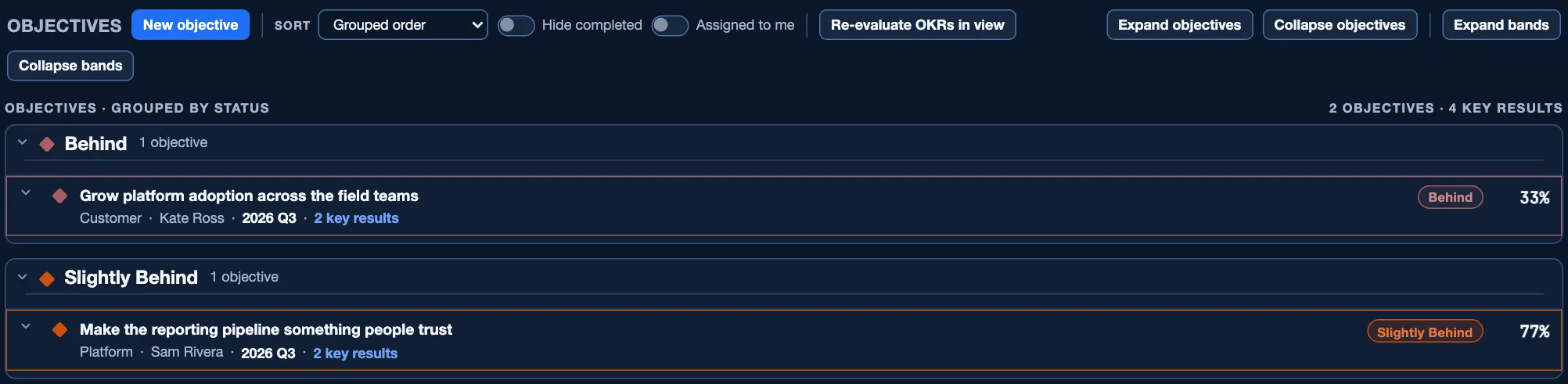
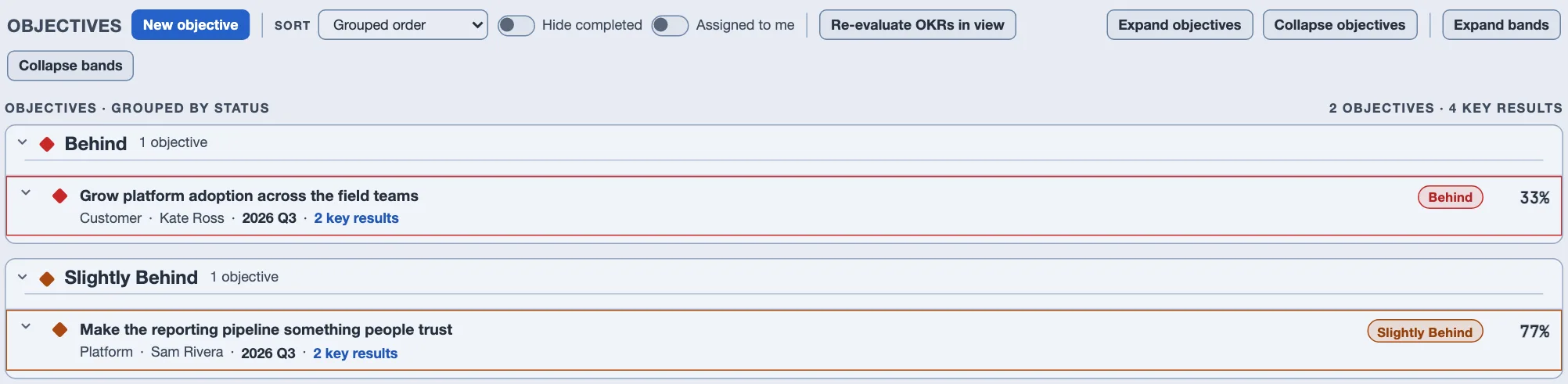
- You land on Objectives, grouped by health. An objective is what you're trying to achieve, in a sentence.
- Under it, key results. A key result is the number that proves you got there; a task is the work that moves that number. Click New objective to start one.
- Update progress right on the bar. Drag or type the number next to a key result — it saves immediately. Check in lets you leave a note about why, as a separate step, so dismissing it never undoes the value you already saved.




Good habits
- Health colors are computed from the calendar, never typed in — they compare how far along a key result should be by today against how far along it actually is.
- Assigned to me catches objectives you don't own but where you own one of the key results underneath — wider than it sounds.
- The bar's four groups are independent: View (Overview or Objectives), Group by (By area or By status), Layout (List or Kanban) and Period, whose picker can hold more than one quarter at once. Changing one leaves the other three where you left them.
- Assigned to me, Hide completed and Sort sit on the Objectives row itself, beside New objective — with the list they act on, not up in the filters.
- A task linked to a key result shows it right on the task — no need to come back here to see why you're doing something.
Words you'll see
- Objective
- What you're trying to achieve, in a sentence.
- Key result
- The measurable number that tells you if you got there.
- Health
- Ahead, On track, Slightly behind, or Behind — computed automatically, never set by hand.
Want more detail — check-in history, importing a quarter, the Overview dashboard? Open the full manual →